

In today’s digital world, notifications are constant companions—pings, dings, and buzzes from apps, emails, and messages compete for our attention every day. While notifications can keep us informed and connected, they can also become overwhelming and distracting if not managed properly.
Setting clear boundaries with notifications is essential for maintaining focus, reducing stress, and protecting your personal time. Here, we’ll explore practical tips for managing notifications effectively and creating a healthier relationship with technology.
Why Set Boundaries with Notifications?
Continuous alerts can interrupt your workflow, damage concentration, and lead to what experts call “attention residue”—where your mind remains partially focused on previous tasks even after switching to something new. Over time, this can lower productivity and increase feelings of anxiety.
By setting boundaries on when and how you receive notifications, you gain control over your attention, find time to focus deeply on important work, and reclaim personal downtime without digital interruptions.
Tips for Setting Boundaries with Notifications
1. Audit Your Notifications Regularly
Start by understanding which apps and devices are sending you notifications. Check your phone, computer, tablet, and smartwatch to see what alerts are enabled.
– Go through each app’s notification settings.
– Disable non-essential alerts.
– Group less urgent notifications to appear only at certain times.
This audit helps you eliminate noise and keep only what truly matters.
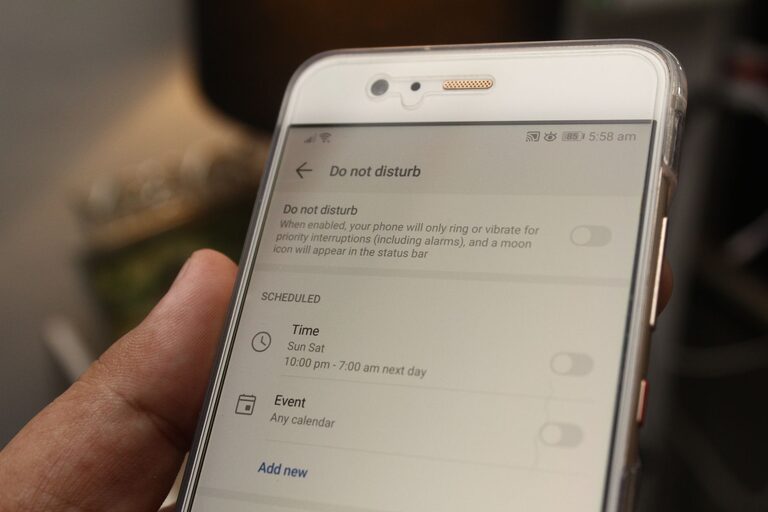
2. Use “Do Not Disturb” Modes Strategically
Most devices offer “Do Not Disturb” or Focus modes that silence alerts temporarily.
– Schedule these modes during work hours, meetings, or when winding down.
– Customize exceptions for priority contacts or important apps.
– Experiment with time blocks of uninterrupted focus, such as 25- or 50-minute work sessions.
Using these modes helps you create distraction-free zones without missing crucial communications.
3. Batch Check Notifications
Rather than responding to each notification immediately, plan specific times to check your alerts.
– Set designated “notification breaks” during the day.
– Turn off pop-ups and sounds between these intervals.
– Focus on tasks without interruptions, knowing you’ll return to messages soon.
Batching notifications reduces multitasking and helps sustain deeper concentration.
4. Prioritize Notifications by Importance
Not all notifications require the same level of attention.
– Classify alerts as urgent, important, or informational.
– For example, work emails might be urgent during business hours but informational after hours.
– Use app settings or third-party tools to filter notifications by priority.
Prioritization allows you to respond appropriately without overloading your attention.
5. Customize Notification Settings Per App
Most apps let you tailor how and when notifications appear.
– Turn off sounds or vibrations for less critical apps.
– Use banners or badges instead of intrusive pop-ups.
– Mute group chats or social media notifications during focused work.
Customizing settings makes managing alerts more manageable and less disruptive.
6. Communicate Boundaries to Others
Let colleagues, friends, and family know about your notification preferences.
– Inform them when you won’t be immediately responsive.
– Suggest alternative communication methods for urgent issues.
– Encourage respect for your focus time and personal downtime.
Clear communication helps others understand and support your boundaries.
7. Use Technology Tools Mindfully
Consider using apps or software designed to minimize distractions.
– Focus apps can block certain notifications during work.
– Email clients may offer “snooze” features to delay non-urgent emails.
– Digital wellbeing apps track your screen time and alert usage patterns.
Select tools that fit your habits without creating additional complexity.
8. Reflect and Adjust Regularly
Your notification needs may change over time due to shifts in work, family life, or personal goals.
– Periodically review your settings and effectiveness.
– Notice if you feel less stressed and more focused.
– Be willing to tweak limits as needed for balance.
Regular reflection ensures that your boundaries stay relevant and helpful.
Benefits of Setting Notification Boundaries
By applying these strategies, you can expect several positive results:
– Increased productivity and deeper concentration.
– Reduced stress and feeling overwhelmed.
– Clearer distinction between work and personal time.
– Improved sleep quality by limiting nighttime alerts.
– Enhanced overall digital well-being.
Final Thoughts
Notifications aren’t inherently bad—they can be valuable tools when used wisely. The key lies in managing them thoughtfully to serve your priorities rather than distract from them. Start small by auditing your alerts, then explore setting “Do Not Disturb” times and batching notifications. Over time, you’ll find a rhythm that helps you stay informed, focused, and balanced in a noisy digital world.